
How Do I Upload Instagram Stories to the Hummingbirds Platform?
Below is a simple walkthrough of the two ways you can upload Stories: from your active/live stories, or after they expire.
Before You Upload
For best results:
Ensure your Story meets all campaign requirements
Your Story should be more than a re-share of your Grid post
The platform can only detect your 4 most recent Instagram Stories
Option 1: Uploading a Live / Active Instagram Story
If your Story is still active on Instagram (within 24 hours of posting), you can upload it directly from your Story list — no dowloading needed.
Step 1: Go to Your Campaign
Log into your Hummingbirds account
Go to My Campaigns → Active Campaigns
Select your campaign
Click Upload Content
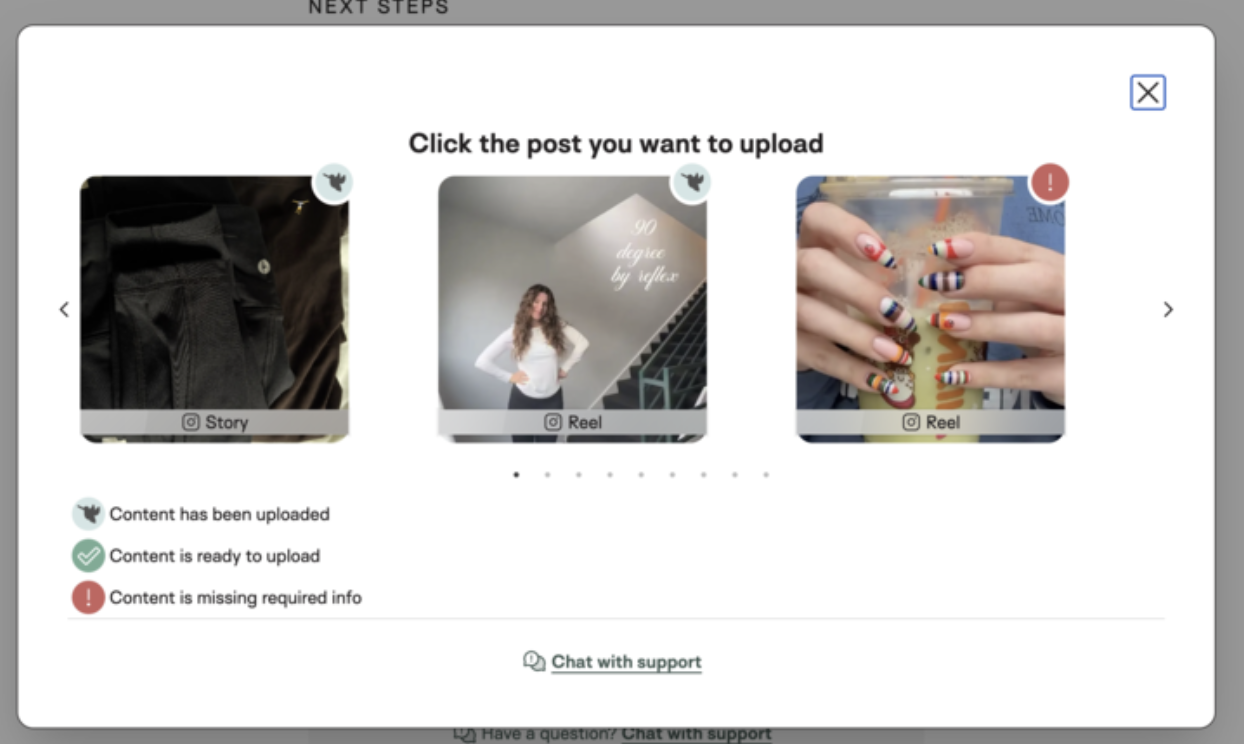
Step 2: Select From Your Active Stories
You will see all Instagram Stories you have posted within the last 24 hours.
Choose the Story you created for this campaign
Submit your upload
Your Story will appear for the campaign once synced
Option 2: Uploading an Expired Instagram Story
If 24 hours have passed and your Story is no longer active, you can still upload it by using the “Upload Expired Story” option.
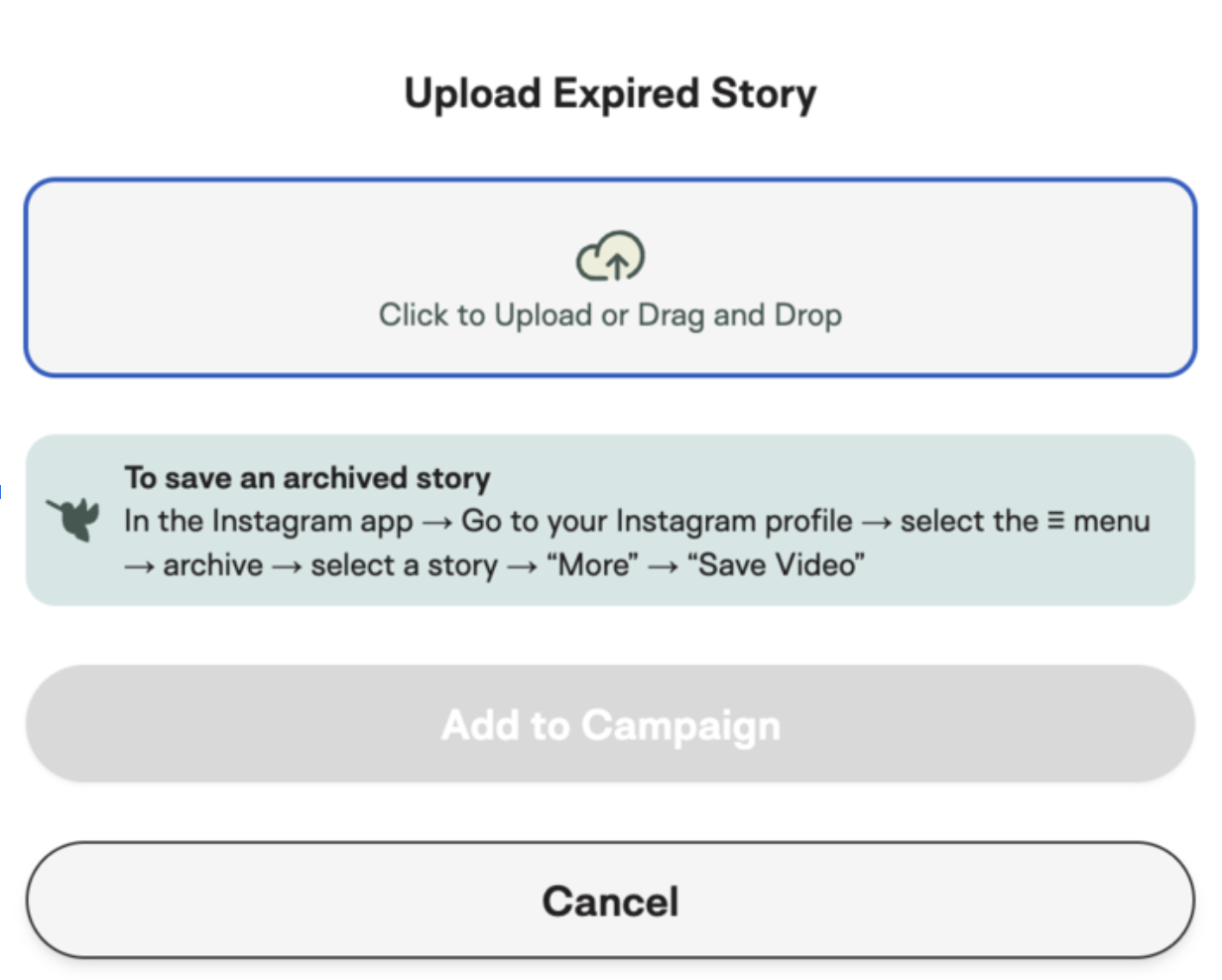
Step 1: Save Your Archived Story
Open Instagram
Go to your Profile
Tap Menu → Archive
Find the Story you posted for the campaign
Save the Story to your device (video or image file)
Step 2: Upload the File in Hummingbirds
Go back to your campaign in Hummingbirds
Click Upload Content
Choose Upload Expired Story
Drag and drop your saved file into the uploader
Submit your upload
FAQ & Troubleshooting
My Story isn’t showing up under active stories
This can happen if:
The Story was posted more than 24 hours ago
Instagram hasn’t synced yet
The Story was a reshare
In these cases, use Option 2: Upload Expired Story.
Can I upload multiple Story frames?
Yes! You can:
Upload multiple files separately
Or combine frames into one file before uploading
Will expired uploads count?
Yes — as long as they clearly match the campaign requirements, they will count toward completion.