
How Do I Redeem an Offer?
Redeeming an Offer is one way to earn on the Hummingbirds platform!
To successfully redeem an Offer, you'll need to follow the redemption process in the correct order:
Save the Offer
Purchase the product at an Eligible Retailer
Upload a photo of your physical receipt
Have your receipt approved
Receive cash back in your Offers Wallet
Step 1: Save the Offer
Before purchasing a product, save the Offer to your My Offers section by clicking the “Save Offer” button.
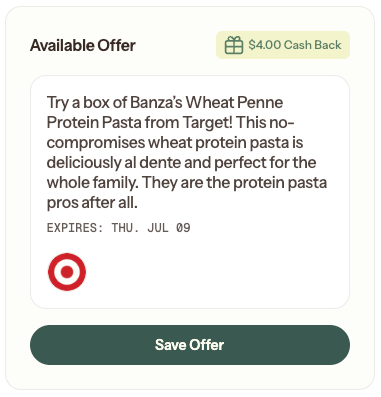
Saving an Offer is required before redemption.
Important: Saving an Offer does not reserve inventory. Offers can expire or run out after they've been saved.
Before heading to the store, we recommend confirming that the Offer is still active.
Step 2: Purchase the Product
Purchase the product listed in the Offer from an Eligible Retailer.
Before purchasing, double-check:
You're purchasing the correct product
The size, flavor, variety, or version matches the Offer details
The retailer is listed as an Eligible Retailer for that Offer
The Offer is still active
Purchases made outside the Offer requirements will not qualify for redemption.
Step 3: Upload Your Receipt
After purchasing, upload a photo of your physical receipt.
Do this by visiting your “My Offers” tab, finding the correct offer, and clicking “Upload Receipt”.

For the best experience:
Upload your receipt as soon as possible after your purchase
Make sure the entire receipt is visible
Make sure all text is readable
Use the original printed receipt whenever one was provided
For more tips + tricks on how to ensure your receipt uploads clearly, check out this article.
Step 4: Receipt Review
Once your receipt is uploaded, it will be reviewed.
Some receipts may be approved automatically, while others may require you resubmit the receipt & provide additional information or review by a member of the Hummingbirds team.
If additional information is needed, we'll let you know this in the platform by indicating that the upload “Needs Attention”.
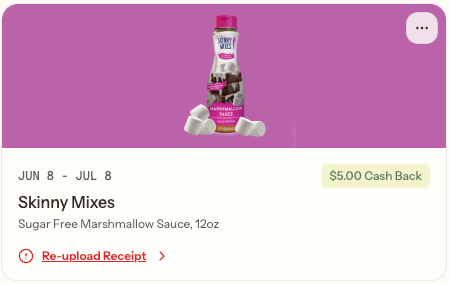
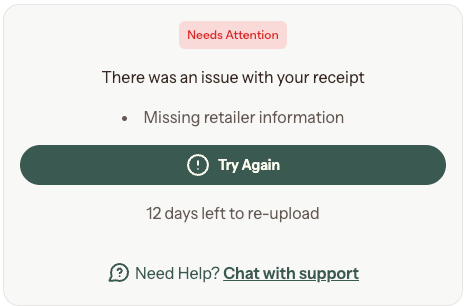
If your receipt is sent for manual review, a member of the Hummingbirds team will review it within 3 business days. You'll receive updates by email.
Step 5: Receive Cash Back
Once your receipt is approved, your cash back will be added to your Offers Wallet.
Cash back amounts vary by product and are displayed on each Offer.
Important Things to Know
Saving an Offer Does Not Reserve It
Offers have limited inventory and can expire or run out.
Saving an Offer adds it to My Offers, but does not guarantee availability.
If an Offer is running low, you may see a “Going Fast” indicator on the Offer.
Upload Your Receipt Promptly
If you've already purchased a product, don't wait to upload your receipt.
Offers can expire or become unavailable, and inactive Offers can no longer be redeemed.
Uploading your receipt shortly after your purchase helps avoid issues.
One Receipt Can Be Used for Multiple Offers
If you purchased multiple eligible products during the same shopping trip, the same receipt can be used for multiple Offer redemptions.
Each Offer must still be uploaded and redeemed separately.