
What Is the “Request Review” Feature and When Should I Use It?
If you see an option to “Please Review My Score” on a past campaign, you’ve unlocked our updated Review Request feature. This gives you a chance to ask our team to re-check your score if you believe you completed the required content correctly.
⭐ What’s New in the Review Request Feature
You’ll now see:
A focused purpose - you should only request a review if you believe you did complete the campaign properly.
The option only appears 30 days after the campaign due date, once the campaign has officially moved into your Campaign History. And you'll only see this option if the platform detects that your Post/Reel, Story, or both are missing.
You’ll have 30 days (Day 30–60) to request a review once the option becomes available.
A required text box where you explain why you believe your score is incorrect.
A clear status update:
Review Sent
Review Approved
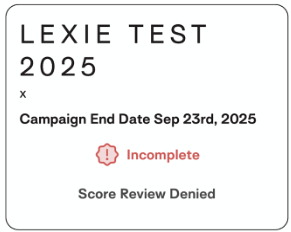
Review Denied (we’ll message you directly if this happens)
If you did upload all required content, you will not see the option to ask us to Review Your Score - because your score is already considered complete!
These updates ensure the feature is used at the right time and for the right reasons - helping us keep scoring fair, consistent, and accurate.
🛠️ How the Review Request Process Works
Here’s exactly what happens from your view:
30 days after a campaign is due, it moves automatically into Campaign History
If you haven’t uploaded all required content, you’ll now see a button that says “Please Review My Score.”
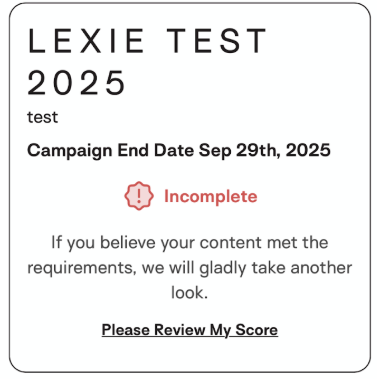
When you click it, you’ll be asked:
“If you believe your content met the requirements, we’ll gladly take another look. Why do you think your score is wrong?”
Enter your reasoning and submit. Your status will update to Score Review Pending.
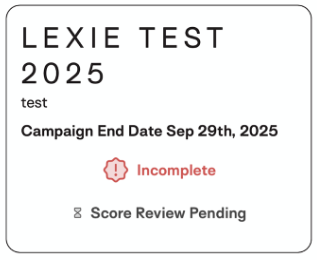
Our team will re-check the campaign requirements and your content:
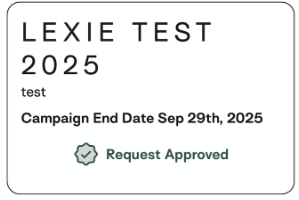
If Approved: Your score will be updated.
If Denied: We will personally reach out via SMS or email to explain why.
❓ Review Request FAQ
How long do I have to submit a review request?
You can submit a request any time from Day 30 to Day 60 after the campaign due date.
After Day 60, the button disappears.
Where do I find the Review Request option?
Only in Campaign History.
You will not see it on active campaigns or during content uploading.
Can I request a review for multiple campaigns?
Yes - as long as each campaign is:
• More than 30 days past due,
• Incomplete, and
• Located in Campaign History.
💛 A Final Note
This feature is here to support fairness - making sure creators receive accurate scores when they truly did complete the required content.
If you have questions about whether you should request a review or need help understanding a score, we’re always here to help at help@hummingbirds.com.