
How to Upload Your Campaign Content if We Can’t Retrieve It from Instagram
Why your video didn't upload
Instagram would not release your file, so we need you to send us your own copy.
Your post is fine. It is live, nothing has been removed, and nothing has been restricted.
These steps work for Reels, Stories and feed posts, and for photos as well as video.
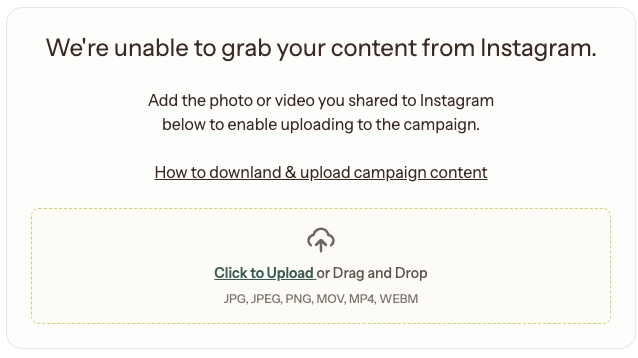
What you will see
Your submission shows an upload box asking for your file. Your campaign stays open until you send it.
What we need
Your own copy of the file. If you don't have one, the pages below cover how to get it.
How to get your saved copy?
Answer based on how you posted it to Instagram.
⛔ Do NOT download the Instagram post from your page. This generates a watermarks from Instagram and we’re unable to accept this copy.
I made it in another app and I still have the file > Upload your saved copy
I made it in another app but I no longer have the file > Get your saved copy from Instagram
I made it inside Instagram and I did not add music from Instagram > Get your saved copy from Instagram
I made it inside Instagram and I added music from Instagram > Rebuild and repost
⚠️ Why that last one is different. When you add music inside Instagram, Instagram merges it into your file permanently. Only one version exists after that, and it has the music in it. There is no clean copy for us or for Instagram to give you, so making it again is the only route.
Why this happened
Instagram does not always release the file behind a post. The most common reason is music from Instagram's library, but privacy settings, account settings and other restrictions can do the same thing. We cannot always tell which one applied, and the steps above work either way.
What happens after you upload
Your file goes to review along with the rest of your submission. We will be in touch if anything else is needed.
What happens if you do not
Your submission will not complete. The campaign funds are not released, and it affects your completion score, which is part of how campaigns are matched to you.
Next time
Build in an app you can export from, export it from Instagram while it’s in Draft mode BEFORE adding music, or save the final file before you post.
Note that screen recordings, pictures/screenshots of your post, or individual clips that aren’t stitched together to form your final Reel will not qualify, so please be sure to save your post as outlined
Still stuck?
Contact support at help@hummingbirds.com and include:
A link to your post
A screenshot of what you are seeing
A short description of the problem